
How to Choose the Best Wi-Fi Socket Camera in 2026
Title (TDK): Best Wi-Fi Socket Camera 2026: Top Hidden Cameras Disguised as EU Sockets | QZT
Description: Discover how a wifi socket camera works, what features matter most, and how to choose the right model for your home or office security needs in 2026.
Keyword: wifi socket camera
Imagine having a security camera that no visitor, employee, or intruder would ever suspect — because it looks exactly like a standard EU electrical socket mounted on your wall. That is exactly what a wifi socket camera delivers. These devices combine a fully functional wall socket with a hidden HD camera, Wi-Fi connectivity, and motion-triggered recording, making them one of the most effective covert surveillance tools available to homeowners, business owners, and security professionals in 2026.

How Does a Wi-Fi Socket Camera Work?
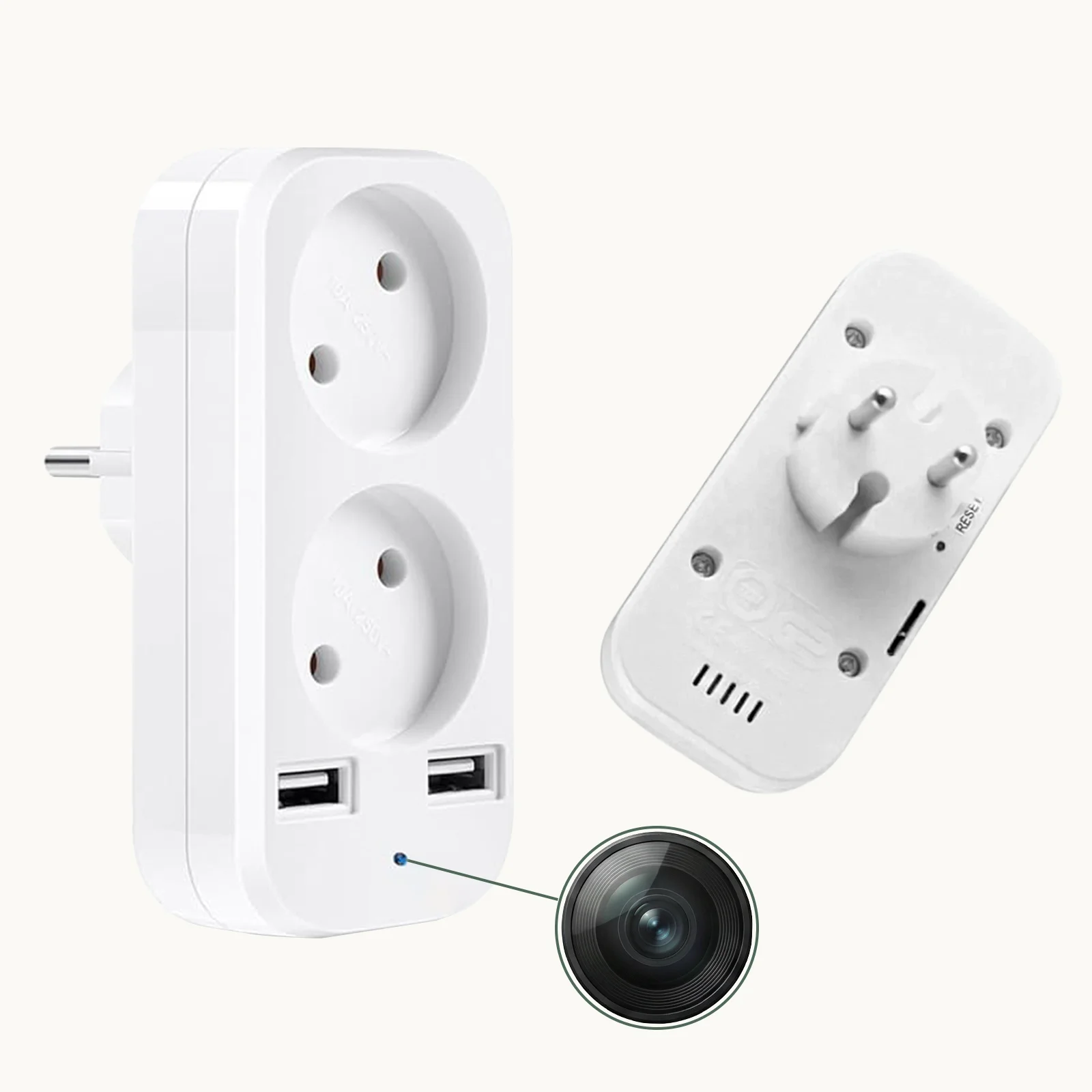
A wifi socket camera integrates a miniature HD camera lens into a real-looking EU wall socket housing. The device plugs into your existing electrical wiring just like a standard socket, so it receives constant AC power — no batteries required. The camera lens is positioned behind a small pinhole or a darkened section of the socket faceplate, making it virtually impossible to detect from a casual glance.
The Wi-Fi module inside connects the camera to your home or office network, enabling live remote viewing through a smartphone app. When motion is detected, the camera starts recording and sends a push notification to your phone so you can see what is happening in real time. Footage is stored on a micro SD card, in cloud storage, or both, depending on the model configuration.
Most models at QZT support both 720p and 1080p video resolution, two-way audio for listening and speaking through the device, night vision for low-light environments, and loop recording that automatically overwrites the oldest files when the SD card fills up.

What Makes a Wi-Fi Socket Camera Different from Other Hidden Cameras?
The most important advantage of a wifi socket camera over other covert cameras is its perfect camouflage. Unlike a clock camera, smoke detector camera, or pen camera that might draw a second look, a wall socket is so common in every room that no one pays it any attention. Sockets are mounted at eye level or lower, giving the camera a natural viewing angle into the room without any additional positioning effort.
Another key difference is the power supply advantage. Because the socket camera draws power directly from your electrical wiring, it never runs out of battery. This makes it ideal for continuous 24/7 surveillance without the maintenance hassle of recharging. Other battery-powered hidden cameras may shut down unexpectedly, but a hardwired socket camera keeps recording as long as your power stays on.
Here is how socket cameras compare to other common covert options:
| Feature | Wi-Fi Socket Camera | Clock Camera | Smoke Detector Camera |
|---|---|---|---|
| Detection risk | Extremely low | Low | Low |
| Power source | AC hardwired | Battery or USB | Battery or USB |
| Viewing angle | Eye-level, fixed | Varies by placement | Ceiling-mounted |
| Continuous recording | Yes, always on | Battery dependent | Battery dependent |
| USB pass-through | Often available | Usually not | Sometimes |
| Installation effort | Moderate (electrical) | Low | Low |

What Features Should You Prioritize When Choosing a Wi-Fi Socket Camera?
With many models on the market, focusing on the right features prevents you from paying for capabilities you do not need while ensuring you get the ones that matter most for your specific use case.
Video Resolution: 1080p is now the standard for wifi socket cameras in 2026. This resolution provides enough detail to identify faces, read license plates in the camera’s field of view, and capture clear footage for evidence purposes. Avoid models below 720p unless budget is the absolute constraint.
Night Vision: Not all socket cameras include infrared night vision. If you need to monitor rooms in low-light conditions — such as bedrooms at night or warehouses without lighting — make sure the model you choose includes IR LEDs for clear night-time recording.
Storage Options: Look for models that support at least 128 GB micro SD cards. At 1080p, you can expect approximately 4–8 hours per GB, meaning a 128 GB card holds roughly 3–7 days of continuous footage depending on compression settings.
Two-Way Audio: This feature lets you listen to what is happening and speak through the camera using your phone. It is particularly useful for checking on children, communicating with pets, or deterring intruders with a live voice warning.
Remote Viewing App: The quality and reliability of the companion mobile app matters more than most buyers realize. Choose models that offer apps with intuitive interfaces, reliable push notifications, and secure cloud storage options. QZT socket cameras use the Tuya and HDLiveCam platforms, both widely reviewed and well-supported.

How To Install a Wi-Fi Socket Camera: A Step-by-Step Guide
Installing a wifi socket camera requires a bit more care than plugging in a battery-powered camera, but the process is straightforward for anyone comfortable with basic electrical work. If you are not confident working with live wiring, hire a licensed electrician for the installation.
Step 1: Choose the Right Location
Select a socket position that gives the camera a clear view of the area you want to monitor. Wall sockets at eye level or slightly above provide the best facial recognition angle. Avoid positions with direct backlighting from windows, as this can wash out the image.
Step 2: Turn Off the Power
Before touching any wiring, switch off the circuit breaker that controls the socket you are replacing. Use a voltage tester to confirm the wires are not live.
Step 3: Remove the Existing Socket
Unscrew the faceplate and carefully pull the existing socket out of the wall box. Note which wire connects to which terminal — typically live (brown/red), neutral (blue), and earth (green/yellow).
Step 4: Connect the Wi-Fi Socket Camera
Follow the manufacturer’s wiring diagram to connect the corresponding wires to the wifi socket camera’s terminal block. Ensure all connections are tight and that the earth wire is properly secured.
Step 5: Secure and Test
Push the device into the wall box, screw the faceplate into place, and restore power at the breaker. Download the companion app, create an account, and follow the in-app instructions to connect the camera to your Wi-Fi network.
Step 6: Adjust and Calibrate
Log into the live view, adjust the camera angle if the model allows, set up motion detection zones, configure notification preferences, and verify that the SD card recording is working correctly.

What Are the Legal Considerations for Using a Wi-Fi Socket Camera?
Before deploying a wifi socket camera, it is critical to understand the legal framework in your jurisdiction. In most countries, recording video in your own home or business for security purposes is legal, provided you own or have explicit authorization to monitor the space. However, there are important nuances to consider.
Private Spaces: Placing a hidden camera in bathrooms, changing rooms, or other areas where people have a reasonable expectation of privacy is illegal in virtually every jurisdiction, regardless of the property ownership. This is one of the most important rules in covert surveillance.
Workplace Monitoring: If you are monitoring employees, labor laws in many countries require you to inform staff that surveillance is taking place, either through visible notices or written company policy. Hidden cameras in employee-only areas may be restricted or prohibited.
Audio Recording: Recording audio is subject to stricter laws than video in many regions. In some jurisdictions, you need the consent of at least one party (the person recording) to capture audio legally. In others, all parties must consent. QZT cameras support audio toggle so you can comply with local requirements.
EU and GDPR: In Europe, data protection regulations apply to workplace and shared-space surveillance. Businesses operating in the EU should consult with a legal professional before deploying covert cameras in commercial environments.
Can a Wi-Fi Socket Camera Really Replace a Standard Security Camera?
A wifi socket camera is an excellent supplemental surveillance tool, but it has specific strengths and limitations compared to a traditional security camera. Understanding where it fits in your overall security setup helps you decide where to deploy it.
Where socket cameras excel:
– Discreet, low-profile surveillance in living rooms, offices, and retail spaces
– Environments where a visible camera would be intimidating or unsightly
– Continuous recording without battery concerns
– Integration into existing electrical infrastructure without visible cables
Where traditional cameras are better:
– Wide-area outdoor coverage requiring weatherproof housing
– Situations requiring zoom or pan-tilt-zoom (PTZ) capabilities
– Multi-camera systems needing centralized NVR storage
– Locations without existing electrical wiring at the desired position
Many security professionals recommend using socket cameras as a primary covert layer backed by visible cameras as a deterrent. The socket camera captures footage that an intruder would not think to avoid, while the visible cameras serve as a psychological barrier.
How To Maintain and Troubleshoot Your Wi-Fi Socket Camera
Like any electrical device, a wifi socket camera requires minimal but regular maintenance to ensure it continues operating reliably. Here are the most common issues and how to address them.
Camera Goes Offline: If the live view stops responding, check your Wi-Fi router first. Power cycle both the router and the socket camera by turning off the circuit breaker for 30 seconds before restoring power. Reconnect through the app if the device fails to reconnect automatically.
SD Card Errors: Use high-quality, branded micro SD cards (Class 10 or U1 minimum). Format the card through the app every 3–6 months to prevent file system corruption. Avoid cheap, generic cards as they fail more frequently.
Night Vision Not Working: If IR night vision appears weak or non-functional, clean the lens with a soft microfiber cloth. IR reflections from the socket faceplate can sometimes reduce effectiveness — repositioning the device may help.
App Notifications Stop: Check that background app refresh is enabled for the camera app in your phone settings, and verify that Do Not Disturb mode is not blocking notifications.
Conclusion
A wifi socket camera is one of the smartest covert surveillance investments available in 2026. It combines perfect disguise, reliable AC power, full Wi-Fi connectivity, and high-definition recording in a device that costs far less than a professional installation while delivering results that rival dedicated security systems. Whether you are protecting your home, monitoring a small business, or adding an extra layer of security to your office, a socket camera delivers exactly what covert surveillance should: eyes everywhere without anyone knowing they are being watched. Ready to find the right wifi socket camera for your needs? Browse the full range at QZT — every model comes with detailed specifications and expert support to help you set up your system correctly the first time.
Frequently Asked Questions
Is a wifi socket camera legal to use at home?
Yes, in most countries you may legally install a hidden camera in your own home for security purposes, provided it does not record in private spaces like bathrooms. Always check your local laws, especially for workplace or rental property installations.
Can a wifi socket camera record at night?
Many models include infrared night vision that enables clear recording in complete darkness. Check the product specifications before purchasing if night coverage is essential.
Does a wifi socket camera work when Wi-Fi is down?
The camera will continue recording to its local SD card even without an internet connection. Remote viewing and push notifications require Wi-Fi, but the on-device recording never stops.
How long can a wifi socket camera store footage?
Storage capacity depends on the SD card size and video quality. A 128 GB card at 1080p typically holds 3–7 days of continuous footage, or several weeks of motion-triggered recording.
Can I use a wifi socket camera in a country with a different plug standard?
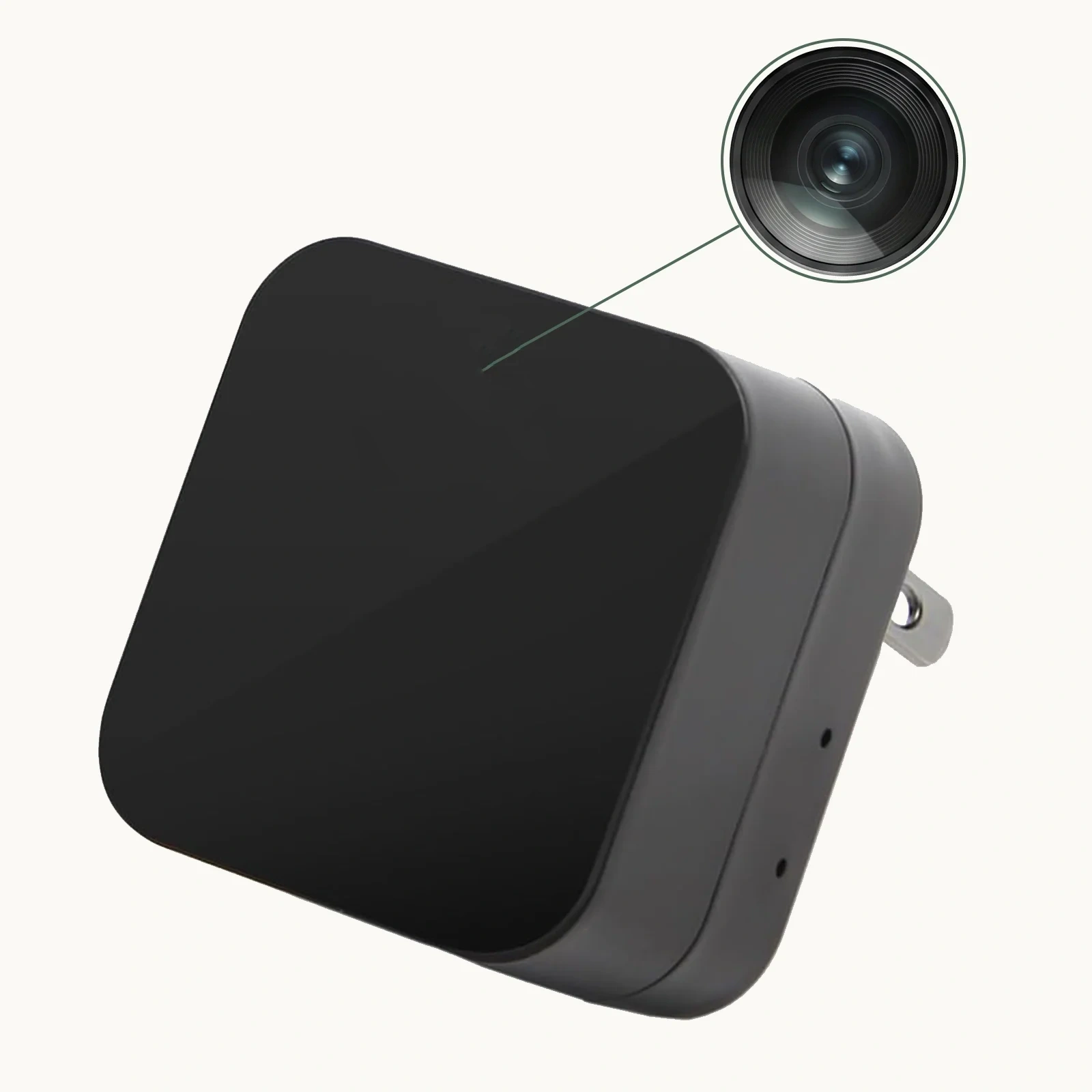
Socket cameras are designed for specific plug standards. For EU-compatible sockets, choose the EU plug model. Always verify the voltage and plug type match your local standards before purchasing.

 English
  Italiano
  Deutsch
  Français
  Español
  Polski